
Copy templates to other environments

This news will especially please the larger deskMate customers. With our new function, templates can now be copied from one environment to another. This makes you even more flexible in dealing with templates.
A “reseller user”, i.e. a user who can administer several environments, now sees an additional symbol in the templates view next to the function fields of a template. After clicking on the Copy field, a new menu appears where the target environment can be specified.
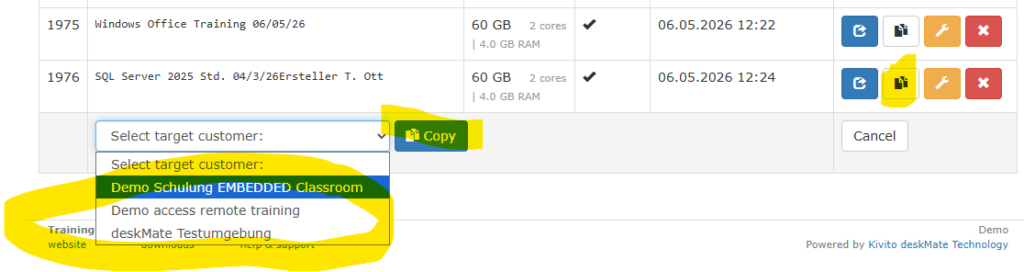
The copied template has the same name as the source template (but can of course be changed afterwards). The creation date is also copied. The copying process takes only seconds as usual.
If you have any questions, just send us an email to suppor@deskmate.cloud